Browsing Category
"Blogger"
Browsing "Older Posts"
.jpg)
Welcome, Back Users. I Hope users you can learn on this platform. User Meustaad.blogspot.com Provides in Urdu Video Tutorials in Free with Complete Courses. Previous My Courses & tips are available on my site. Today I am posted to Complete Blogger Video Training in Urdu Step by Step. Blogger is the biggest platform on the internet, blogger provides us domain & hosting free, but I can selected domain name and jointly Dot Blog spot name is attached with our domain name. Blogger is very easy to used 1st of you can create an email and join now with the blogger platform. Create A blog Easy and make Money on the Internet. User I am posted with Step by Step Complete Blogger Video Training in Urdu/Hindi.. Blogger SEO in Urdu/Hindi Language First You Can create an Email for and join blogger dashboard selected a New and make a personal blogger address example (www.abcd.blogspot.com), and it is you domain name and selected any template and create button click now wait for few second your blogger has been created. After created your personal blogger you can design now on your personal blogger Simple and comfortable design select and start of work. For Further More You Can Learn Complete Blogger Video Training in Urdu on this website. First of All you Watch Video Tutorial and do practice with the personal computer. It is very important for you. Your mind has been clearly understood everyone lectures. Practice is very beneficially for you. You Watch My Video Tutorial One by One, don�t jump to next video. First of all you can watch on my first lecture to last lecture one by one. Furthermore, I hope you can follow my instructions. You can learn this course very easily & quickly.
BLOGGER VIDEO TUTORIAL LESSON 1
BLOGGER VIDEO TUTORIAL LESSON 2
BLOGGER VIDEO TUTORIAL LESSON 3
BLOGGER VIDEO TUTORIAL LESSON 4
BLOGGER VIDEO TUTORIAL LESSON 5
BLOGGER VIDEO TUTORIAL LESSON 6
BLOGGER VIDEO TUTORIAL LESSON 7
BLOGGER VIDEO TUTORIAL LESSON 8
Thanks for Watching on my Video. Users my video course and tricks share with your
personal friends, subscribe your personal email, Subscribe YouTube Channel on my
website and Like Facebook Page. Thanks For Visiting My Website. If there is any
question comment me I will reply it in 24 hours.
If you begin blogging on blogger platform your 1st concern is to form a example for the most effective support for SEO, as well as a full vary of options while not the necessity to edit something. this can be a group of ten Blogger Templates Seo support, to extend your web log rankings on search engines.
Premium and Seo Friendly Friendly Blogger Templates...
Below I�ve listed some templates. It�s image, demo link and transfer link is additionally adscititious so you will see the live demo of it and transfer it with the convenience.1. Tech Shadow...
2. Pakistan Mag...
3. Magzon...
4. Smartify...
5. Metro Classic Responsive...
6. Bresponsive...
7. Maggner Magazine...
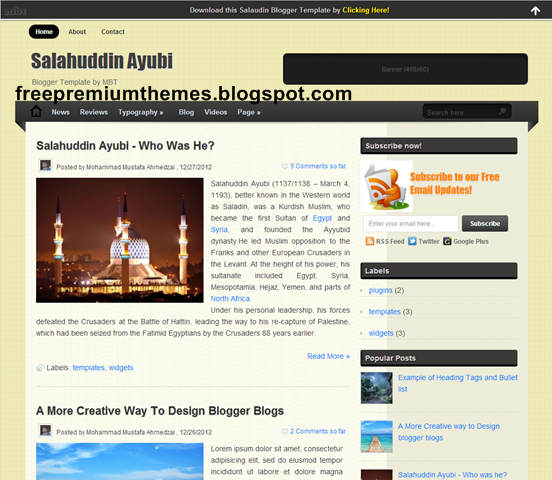
8. Salahuddin Ayubi Blogger Template...
9. MBT Blogger Template...
10. Mash 2 Blogger Template...
11. Retina Blogger Template...
thanks all friends and happy seo friendly blogger free templates......
How does one feel, if one amongst your diary reader says �let Maine unsubscribe from your blog�. you'd frustrate, isn�t it? Even, i'd feel identical. But, I feel happy as I didn�t expertise this example before and that i am endued with thousands of subscribers for my blogs.
Having smart range of diary subscribers could be a important half in blog�s growth and virtually each bloggeris functioning arduous for it. Also, most of the diarygers ar absorption to urge the new subscribers and that they simply ignore the varied reasons why some individuals unsubscribe from their blog. Losing few subscribers sometimes isn�t an enormous deal, however if they notice frequent shedding of subscribers, then it's the correct time to look at the condition of their diary and verify the explanations for it.Are you a diaryger United Nations agency troubled plenty in gaining subscribers and losing the present followers? Then i'd say that there could be some reasons why they� ve unsubscribed from your blog. Let Maine justify the explanations thoroughly currently. 1. inferiority content..
I know that you just could be attentive to this blogging locution �Content is that the king�. Yes, of course! If you still contribute the diary post with trivial content and grammatical mistakes, then it might create your followers to unsubscribe from your bathroom. So, do concentrate a lot of in contributory the high-quality diary posts with worthy data. 2. Too frequent/infrequent posts..
Sometimes your subscribers get overcome if they hear you over just the once on a daily basis and then it's smart to send one diary post daily. Likewise, if your diary posts reach them sometimes, then they might unable to recollect your diary and at last unsubscribe. So, create an inspiration to take care of a post consistency and follow it.3. Lack of focusing..
People do subscribe your diary to examine a selected subject material and to urge resolution for the queries associated with that matter. how ever you�re not focusing that exact subject, writing one thing that isn't required to them, and then they unsubscribe from your diary. In straight forward words, if you set expectations to supply an exact sort of data to your followers and if you did not deliver it, then they could opt for the unsubscribe choice. 4. individuality is lost..
You have to inspire your subscribers through your individuality. Do browse sort of blogs and websites to urgeescape writer�s block. Why am I speaking concerning writer�s block here? as a result of this is able to push you to repeat others vogue and you would possibly lose your individuality. The a lot of you browse, the a lot of other ways you may write.5. No action on Holidays..
I agree that everybody may select holidays, any studies, personal works etc. So, if you� ve planned to travel for long breaks, you must intimate this in before your subscribers (at least through Associate in Nursing email or atthe tip of this diary post). If you not do thus, then you'd actually lose your subscribers.6. Personal bit is missing..
I accustomed see in most of the blogs, the diary posts were written like legal documents. You know, a diary is sort of a diary and it differs from a static web site. So, rather than writing like documents, say one thing funny or share your previous expertise to lighten the readers. If you fail to feature your personal bit, then your followers may unsubscribe from your diary. 7. style problems..
I think that the look problems associated with your diary is that the major reason for the unsubscribing activity of the individuals. Having litter diary style, tough in navigation and frequent guide changes would undoubtedly irritate your supporters and impulse them to unsubscribe from your diary.8. a lot of guest posts..
Why do individuals purchase your blog? they need to listen to you! however if you're business a lot of no. of guest posts rather than writing on your own, they could forget your diary by unsubscribing it.9. Absence of comments..
I would say that a diary while not comments reveals that it's no readers. Also, it's clearly understood that you�re not partaking and inspiring the guests to depart their thoughts. Moreover, if you disable the comment section then it says that you�re not fascinated by conversing along with your readers. Anyway, the absence of comments would create your subscribers to unfollow your diary.10. now not required..
Sometimes, changes ar happening for no reasons. Yeah, the interest of your followers could be modified or they� ve progressed to a high level. so that they now not have a requirement for your diary posts and easily unsubscribed your diary.Get notified once individuals unsubscribe your diary..
To get notified once individuals unsubscribe to your diary, i'd recommend you to modify a Google Feedburner feature associated thereto.- Go to feedburner.google.com, then opt for your diary.
- Now click Publicize > Email subscription > Subscription management.
If you scroll down the page any in Subscription management, you�ll see Associate in Nursing choice �send MaineAssociate in Nursing email whenever individuals unsubscribe�. Tick that choice and click on �Save�. So, currently you�ll receive email once your subscribers unsubscribe to your diary.Conclusion:
Getting new subscribers and losing few in an exceedingly month isn't an enormous issue. you'll email these unsubscribers and raise them to come back back, request their feedback and enquire the explanation for unsubscribing. Also, have it in mind that they could unsubscribe your diary simply to clear up their email account. This doesn�t mean that wouldn�t visit / subscribe your diary once more and don�t take it in person.
Think positive, maintain consistency and keep focussed to stay your subscribers with you. These ar my judgments on why individuals unsubscribing from your diary. What does one think? Let Maine understand your opinions through comments....
Wow. you would like to Become an expert Blogger that�s why you're here. thus make preparations to graspthe foremost details that area unit necessary to any quality maintained skilled journal. If you apply these few quality parts to your habits will certainly allow you to stand out as Associate in Nursing sensible author and so skilled blogger. can | we'll | we are going to} begin with easy points and so will go to relatively difficult tips to become an expert blogger.
1. Never Copy Content:
The terribly basic and major purpose you must keep in mind is originality of your content. you must foreverattempt to write your own content by yourself. If you can�t then, kindly initial take it slow and learn things fromthe net and subsequently once you�ve comprehensive data then return to figure along with your own efforts. this is often one thing serious wish to | you need to} be taking care of from currently if you actually want to become an expert blogger.
2. Write For Layman:
If a layperson accidentally comes across your journal, don�t let him / her feel that your journal isn't for him / her. nobody likes to feel himself / herself as ignorant. for instance, if i'm writing a post regarding �Earn money on-line with Blogger� initial I ought to make a case for �what is Blogger� and so continue with my plan. it's a decent follow to elucidate clearly, what you're planning to quote.
3. Make Your Reader Feel Comfort:
Try to lighten the strain of your reader and build him / herself feel as snug as doable. If you're publication any of your new post, attempt to gift it as it�s thus easy and zip tough. Use easy and plain language for its description, that the reader doesn't feel exhausted and don't lose the interest. additionally use pictures thatescort your combination and may provides a lightening result to your post.
4. Use Color and Shapes Intelligently:

Colors and shapes have a lot of impact on our way of life simply leaf through yourself; you may see coloursand shapes all over. each color and form conveys some message to United States of America and that weadditionally associate some meanings with them. That�s why favorite colours area unit asked in temperamenttests. Let Pine Tree State make a case for additional, you only consider inexperienced color... What it brings into your mind??? Trees, Nature, Grass or a refreshing result. you'll do a similar with different colors� red, yellow, white etc, to feel their effects. Hope you bought my purpose. Same is that the case with shapes and symbols. Geometric shapes like circle, square, triangle represents organization, structure and in fact they create one feel formal. different shapes that area unit natural, with additional curves and area unit uneven. you must providelovely results to your theme with colours and form in order that they furnish some pleasant effect and add interest to your post.
5. Socialize Yourself:
Never sure yourself to your own web site solely. be part of social networking websites like Facebook, Twitter and Google+ etc for promotion of your journal. Also, follow guest posting on different web sites having same niche as of your website. So, if anyone likes your posts he / she may follow you on your journal.
6. Be Precise and Direct to Readers:
If you're thinking that your browseer has all the time within the world to read your stuff then you're wrong. you must write posts in a very centered manner and ne'er deviate from the topic. don't increase the word count by mentioning supernumerary examples, as a result of no one's got time for that. Write transient howevercorrect and ne'er waste the reader's time in speculative what you wrote regarding.
Dear Readers if you have got any query / question be happy to inquire from me via comment box given below. additionally Follow U.S. on social media website and share that post together with your friends.
This post can for certain progressing to work for you if you have got ever thought that you just conjointly mayget Name, Fame, cash and your thoughts can reach the sky from your own web log. currently it�s time to travel aheadyou only got to begin a web log and success are going to be on your means.
Ask Questions From Yourself.
- Why are you starting a blog?
- Why do you want to succeed?
- What do you want to get out of doing this?
- Are you trying to promote your own business?
- Are you trying to establish yourself as an expert in your field?
- Are you simply blogging for fun and to share your ideas and opinions?
After respondent these queries you must suppose ahead to what you would like to realize from your web logand what area unit the goals that you wish to realize during a predefined time span. Then style, write and market your web log to fulfill those goals. Must Adopt Tips Before Starting a Blog.
- Set Appropriate Goal For Your Blog:
- Identify Your Blog Viewer:
- Keep Updated Contents Stock:
- Sharing Your Own Thoughts:
- Never Copy Paste Content From Others Blog:
- Be Consistent and Persistent
- Be User Friendly
You Should specialise in your web log�s aim and you may rebelliously get success of course however if you are doing not recognize the aim of your blog then I counsel think about it as a result of blogging isn't a joke it wantslegion temperament and patience.
Dear Readers if you have got any query / question be happy to inquire from me via comment box given below. additionally Follow U.S. on social media website and share that post together with your friends. Happy Blogging
a first thing that your reader notes is the the presentation of your blog.it gives an everlasting impression on your readers if your blog is well customized.to minimize the webpage load time and to beautify your blog homepages,you must show a summury of blogger posts instead of whole paragraphes.by default,if your templates supports this option,then its ok.but in blogger custom templates,you have to do it yourself.lets do it.add a read more tag to each post in blogger:
this is really simple job.just have to follow basic procedure.1-go t0 blogger>template>edit html2-check mark on expand template3-find this
code ]]bskin4-paste this code after the above code.
<style>
<b:if cond='data:blog.pageType == "item"'>
span.fullpost {display:inline;}
<b:else/>
span.fullpost {display:none;}
</b:if>
</style>
5-find this piece of code.
<data:post.body/> and directly below this,paste this.
<!--READ-MORE-STARTS-->
<b:if cond='data:blog.pageType != "item"'>
<a expr:href='data:post.url'>
<div style='text-align: right;'>Read More ->></div></a>
</b:if>
<!--READ-MORE-STOPS�>
6-now save template.
Let's start with the name of Allah. Hi! My name is Bilal Ashraf. In today's lecture. I serve you a small tutorial I've brought. A permalink (or permanent link) is a URL that points to a specific blog entry after it has passed from the front page to the archives.Blogger generates this permanent link based on your post title(If the title is in English). For example if your post title is �Hello World�, the blog post�s permalink would be something like. http://yourblog.blogspot.com/2012/06/hello-world.html Till date Blogger never allowed the user to control what the permalink should be but it rather assigned a permalink on it�s own.This has now changed and Blogger now allows YOU to decide what the permalink of your new post should be.
This feature is currently available in Blogger�s Draft Version. So if you would like to check it out, head straight over to http://draft.blogger.com and create a new post. In the post options you will see a permalink option. If you select the �Automatic URL� (the default option), then Blogger will generate the permalink on it�s own. If you want to specify a custom URL, opt for the �Custom URL� option and you can enter your custom post permalink over there. It will allow you to enter alphabets, hyphens and underscores. It will just ignore underscores. So I just used a combination of hyphens and alphabets to create my post permalink.
The Final Permalink will be something like
http://yourblogaddress/yyyy/mm/the custom URL that you specified
In my case it came to something like
http://myblog.blogspot.com/yyyy/mm/custom-permanent-link.html
Blogger doesn�t allow you to modify the Permalinks of old posts but you can make use of this new feature on your new posts There seems to be no limit to the length of this Custom URL at the moment but Blogger might impose some length limit in future.
Bilal Ashraf remember in our prayers. If you have any query then feel free to make a comment :) urdu tutorial pakistan, urdu tutorials urdu tutorials free,
urdu tutorials for web designing,
urdu tutorials for adobe photoshop,
online ustaad,
html5 tutorial,
html5 urdu tutorial,
blogger tutorial,
blogger tutorial 2012,
blogger widgets,
blogger gadgets,
edius tutorial,
dreamweaver tutorial,
dreamweaver tutorial cs6,
make money online,
make money online free,
make money online fast,
Let's start with the name of Allah. Hi! My name is Bilal Ashraf. In today's lecture. I serve you a small tutorial I've brought.This post about how to customize your comment box background. Actually default comment box isn't attractive.So most are like to change it.This is the tutorial for it.I made a post about How To Change Default Anonymous Avatar In Blogger Comments. You can follow this easy steps to add it to your blog.
1. Log in to blogger Design > Edit HTML.
2. Find this tag by using Ctrl+F ]]></b:skin>
3. Paste below code Before ]]></b:skin> tag#mbt-form iframe{
background:#ffffff url(https://blogger.googleusercontent.com/img/b/R29vZ2xl/AVvXsEgje0E7uwDnNYfNAb75VnCPD3ob8h1dE8TsXkzBAKAZZaOYaMn6xEg72sbWSbPzxwSwWEdtP2sVJeTlT9-He1d9Vn8-Y5pnWbsCejDRpLpnSOXFnJQc1EFoEO6py3z2WhK7w-HyAqbotbnA/s400/11.png) repeat-x;
border:1px solid #ddd;
-moz-border-radius:6px;
-webkit-border-radius:6px;
box-shadow: 5px 5px 5px #CCCCCC;
padding:5px;
font:normal 12pt "ms sans serif", Arial;
color:#2F97FF;
width:560px; height:213px !important;
}
#mbt-form a{
color:#fff;
}
4. Find again this code by using Ctrl+F <div class='comment-form'>
5. Now replace <div class='comment-form'> with below code
<div id='mbt-form'>
6. Now save your Template
You are done...
Bilal Ashraf remember in our prayers. If you have any query then feel free to make a comment :) urdu tutorial pakistan, urdu tutorials urdu tutorials free,
urdu tutorials for web designing,
urdu tutorials for adobe photoshop,
online ustaad,
html5 tutorial,
html5 urdu tutorial,
blogger tutorial,
blogger tutorial 2012,
blogger widgets,
blogger gadgets,
edius tutorial,
dreamweaver tutorial,
dreamweaver tutorial cs6,
make money online,
make money online free,
make money online fast,
Let's start with the name of Allah. Hi! My name is Bilal Ashraf. In today's lecture. I serve you a small tutorial I've brought.This is also nice hack for comment system in blogger. When we allow anonymous comment, everyone can comment your post without using any Google account. As a result of it. there are no way to provide diffrent avatar for commentators.So , bloggers use a default avatar for every anonymous commentator.So, in this Tutorial helps you to change that default avatar, Follow these steps to add it to your blogger.How To Change Default Profile Image In Blogger Comments
Those who are not enable anonymous comment
system, follow this.
Log in to blogger account and Go to Setting >> Comments
And make setting like this and click save setting.
How To Change Default Anonymous Avatar In Blogger Comments :
1. Log in to blogger account and Go to Design >> Edit HTML
(make sure backup your template first)
3. Find this tag by using Ctrl+F </body>
3. Paste below code before </body> tag<script src='http://code.jquery.com/jquery-latest.js'/>
<script>
$("img[src='http://img1.blogblog.com/img/anon36.png']")
.attr('src', 'your-avatar-url-here')
.ssyby('blank')
</script>
*Replace Your-avatar-url-here With below URL or any avatar URL
3. Paste below code before </body> tag https://blogger.googleusercontent.com/img/b/R29vZ2xl/AVvXsEjGuHiBldkrOnBm0UefhSWzQT9PnlFL1TStLIj3PkD7_8NfHY9hp6SwuIzHAyktHTrLeThpiorNN1LIXq3gsLANPbnNGYSYGrysJ590n6MATGqwbwb5FJsCrDm3mTvrOQ_kBxVAXH3wjs3C/
s1600/btrix4.png
4. Now click Save Template. you are done.
Bilal Ashraf remember in our prayers. If you have any query then feel free to make a comment :) urdu tutorial pakistan, urdu tutorials urdu tutorials free,
urdu tutorials for web designing,
urdu tutorials for adobe photoshop,
online ustaad,
html5 tutorial,
html5 urdu tutorial,
blogger tutorial,
blogger tutorial 2012,
blogger widgets,
blogger gadgets,
edius tutorial,
dreamweaver tutorial,
dreamweaver tutorial cs6,
make money online,
make money online free,
make money online fast,
Let's start with the name of Allah. Hi! My name is Bilal Ashraf. In today's lecture. I serve you a small tutorial I've brought. How to change blogger default image.Always bloggerprofile picture showing blogger logo if the user hasn'tchange the profile picture. So blue avatar image showing in blogger. But comment section it appear as blogger logo like below. So, in this tutorial im going to tell a simple hack that helps you to change default icon in comment section.you can use any nice image as default image. follow these steps to add it to your blog.I hope you'll enjoy.
1. Log in to blogger account and Go to Design >> Edit HTML
(make sure backup your template first)
2. Put checked mark in Expand Widget Templates
3. Find this tag by using Ctrl+F <b:includable id='comments' var='post'>
4. After you found above code. you have to scroll down till you find this code.
</b:includable>
5. You have to pass some more line to find out this, so be patient and find it carefully.
( Tip: most of time it will place with single line)
6. After you found it, paste below code before </b:includable> tag<script type='text/javascript'>
//<