Browsing Category "Racing"

Browsing "Older Posts"

Space Warp Video Game Download

Minimum System Requirements

    • OS: Windows XP/Vista/7/8
    • CPU: Pentium 4 @ 1.0 GHz Processor
    • RAM: 512 MB
    • Hard Drive: 100 MB Free
    • Video Memory: 62 MB
    • Sound Card: DirectX Compatible
    • DirectX: 9.0
    • Keyboard and Mouse

      Screenshots

      How to Install?

      1. Extract the file using Winrar. (Download Winrar)
      2. Open "Space Warp" folder, double click on "Setup" and install it.
      3. After installation complete, go to the folder where you install the game.
      4. Open folder, double click on "SpaceWarp" icon to play the game. Done!

      How to Download?

      If your don't know how to Download this game, just Click Here!

      Space Warp Free Download

      Click Here to Download This Game
      Game Size: 81 MB
      Password: www.apunkagames.net

      Space Warp

      By Muhammad Meer → Sunday, April 12, 2015
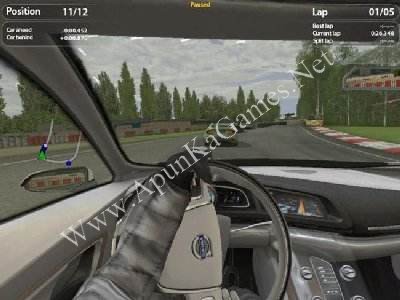
      Also Known as: Paris-Dakar Rally (Video Game), PC Highly Compressed, RIP

      Minimum System Requirements

        • OS: Windows XP/Vista/7/8
        • CPU: Pentium 3 @ 1.0 MHz Processor
        • RAM: 256 MB
        • Hard Drive: 1 GB Free
        • Video Memory: 32 MB
        • Sound Card: DirectX Compatible
        • DirectX: 8.0
        • Keyboard and Mouse

          Screenshots

          How to Install?

          1. Extract the file using Winrar. (Download Winrar)
          2. Open "Paris-Dakar Rally" folder, double click on "Setup" and install it.
          3. After installation complete, double click on "reg_it" to complete the registry.
          4. Then double click on "dakar" icon to play the game. Done!

          How to Download?

          If your don't know how to Download this game, just Click Here!

          Paris-Dakar Rally Free Download

          Click Here to Download This Game
          Game Size: 200 MB
          Password: www.apunkagames.net

          Paris-Dakar Rally

          By Muhammad Meer →
          Crazy Taxi (Video Game) Download

          Minimum System Requirements

            • OS: Windows 98/ME/2000/XP/7
            • CPU: Pentium 2 @ 800 MHz Processor
            • RAM: 128 MB
            • Hard Drive: 150 MB Free
            • Video Memory: 8 MB
            • Sound Card: DirectX Compatible
            • DirectX: 7.0
            • Keyboard and Mouse

              Screenshots

              How to Install?

              1. Extract the file using Winrar. (Download Winrar)
              2. Open "Crazy Taxi" >> "Game" folder.
              3. Then double click on "Crazy_Taxi_PC" icon to play the game. Done!

              How to Download?

              If your don't know how to Download this game, just Click Here!

              Crazy Taxi Free Download

              Click Here to Download This Game
              Game Size: 88 MB
              Password: www.apunkagames.net

              Crazy Taxi

              By Muhammad Meer → Friday, April 10, 2015
              Race The Sun (Video Game) Download

              Minimum System Requirements

                • OS: Windows XP/Vista/7
                • CPU: Dual Core Processor
                • RAM: 2 GB
                • Hard Drive: 100 MB Free
                • Video Memory: 64 MB
                • Sound Card: DirectX Compatible
                • DirectX: 9.0c
                • Keyboard and Mouse

                  Screenshots

                  How to Install?

                  1. Extract the file using Winrar. (Download Winrar)
                  2. Open "Race the Sun" folder, double click on "Setup" and install it.
                  3. After installation complete, go to the folder where you install the game.
                  4. Open folder, double click on "RaceTheSun" icon to play the game. Done!

                  How to Download?

                  If your don't know how to Download this game, just Click Here!

                  Race The Sun Free Download

                  Click Here to Download This Game
                  Game Size: 24 MB
                  Password: www.apunkagames.net

                  Race The Sun

                  By Muhammad Meer → Saturday, February 28, 2015
                  Crash and Burn Racing (Video Game) Download

                  Minimum System Requirements

                    • OS: Windows XP/Vista/7
                    • CPU: Pentium 4 @ 1.0 GHz Processor
                    • RAM: 1 GB
                    • Hard Drive: 100 MB Free
                    • Video Memory: 32 MB
                    • Sound Card: DirectX Compatible
                    • DirectX: 9.0
                    • Keyboard and Mouse

                      Screenshots

                      How to Install?

                      1. Extract the file using Winrar. (Download Winrar)
                      2. Open "Crash and Burn Racing" folder, double click on "Setup" and install it.
                      3. After installation complete, go to the folder where you install the game.
                      4. Open folder, double click on "Crash&Burn" icon to play the game. Done!

                      How to Download?

                      If your don't know how to Download this game, just Click Here!

                      Crash and Burn Racing Free Download

                      Click Here to Download This Game
                      Game Size: 75 MB
                      Password: www.apunkagames.net

                      Crash and Burn Racing

                      By Muhammad Meer → Sunday, February 8, 2015
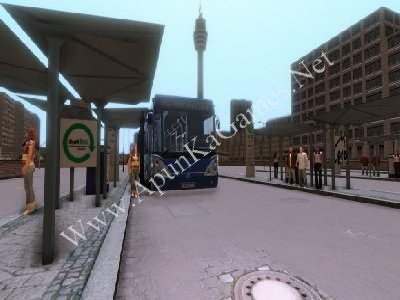
                      Also Known as: Driving Simulator 2011 (Video Game), PC Highly Compressed, RIP

                      Minimum System Requirements

                        • OS: Windows XP/Vista7
                        • CPU: Pentium 4 @ 2 GHz Processor
                        • RAM: 1 GB
                        • Hard Drive: 1.5 GB Free
                        • Video Memory: GeForce 6800 or Radeon X1600 with Shader Model 3.0 and 128 MB RAM
                        • Sound Card: DirectX Compatible
                        • DirectX: 9.0
                        • Keyboard and Mouse

                          Screenshots

                          How to Install?

                          1. Extract the file using Winrar. (Download Winrar)
                          2. Open "Driving Simulator 2011" folder, double click on "Setup" and install it.
                          3. After installation complete, go to the folder where you install the game.
                          4. Open folder, double click on "Driving Simulator 2011" icon to play the game. Done!

                          How to Download?

                          If your don't know how to Download this game, just Click Here!

                          Driving Simulator 2011 Free Download

                          Click Here to Download This Game
                          Game Size: 836 MB
                          Password: www.apunkagames.net

                          Driving Simulator 2011

                          By Muhammad Meer → Tuesday, January 6, 2015
                          Also Known as: Big Mutha Truckers 2 (Video Game), PC Highly Compressed, RIP

                          Minimum System Requirements

                            • OS: Windows ME/2000/XP
                            • CPU: Pentium 4 @ 1 GHz Processor
                            • RAM: 256 MB
                            • Hard Drive: 1 GB Free
                            • Video Memory: 32 MB
                            • Sound Card: DirectX Compatible
                            • DirectX: 9.0
                            • Keyboard and Mouse

                              Screenshots

                              How to Install?

                              1. Extract the file using Winrar. (Download Winrar)
                              2. Open "Big Mutha Truckers 2" folder, double click on "Setup" and install it.
                              3. After installation complete, go to the folder where you install the game.
                              4. Open "Bin" folder, double click on "bmt2" icon to play the game. Done!

                              How to Download?

                              If your don't know how to Download this game, just Click Here!

                              Big Mutha Truckers 2 Free Download

                              Click Here to Download This Game
                              Game Size: 383 MB
                              Password: www.apunkagames.net

                              Big Mutha Truckers 2

                              By Muhammad Meer → Sunday, January 4, 2015
                              Also Known as: Gear Grinder (Video Game), PC Highly Compressed, RIP

                              Minimum System Requirements

                                • OS: Windows XP/2000/Vista/7
                                • CPU: Pentium 4/Athlon XP 2.5 MHz Processor
                                • RAM: 512 MB
                                • Hard Drive: 2 GB Free
                                • Video Memory: 128 MB
                                • Sound Card: DirectX Compatible
                                • DirectX: 9.0c
                                • Keyboard and Mouse

                                  Screenshots

                                  How to Install?

                                  1. Extract the file using Winrar. (Download Winrar)
                                  2. Open "Gear Grinder" >> "Game" folder.
                                  3. Then double click on "GearGrinder" icon to play the game. Done!

                                  How to Download?

                                  If your don't know how to Download this game, just Click Here!

                                  Gear Grinder Free Download

                                  Click Here to Download This Game
                                  Game Size: 540 MB
                                  Password: www.apunkagames.net

                                  Gear Grinder

                                  By Muhammad Meer → Wednesday, December 31, 2014
                                  Also Known as: Police Force 2 (Video Game), PC Highly Compressed, RIP

                                  Minimum System Requirements

                                    • OS: Windows XP/2000/Vista/7
                                    • CPU: Pentium 4 @ 2.2 GHz Processor
                                    • RAM: 1 GB
                                    • Hard Drive: 1.40 GB Free
                                    • Video Memory: 256 MB
                                    • Sound Card: DirectX Compatible
                                    • DirectX: 9.0c
                                    • Keyboard and Mouse

                                      Screenshots

                                      How to Install?

                                      1. Extract the file using Winrar. (Download Winrar)
                                      2. Open "Police Force 2" folder, double click on "Setup" and install it.
                                      3. After installation complete, go to the folder where you install the game.
                                      4. Open "bin.x86" folder, double click on "police2" icon to play the game. Done!

                                      How to Download?

                                      If your don't know how to Download this game, just Click Here!

                                      Police Force 2 Free Download

                                      Click Here to Download This Game
                                      Game Size: 266 MB
                                      Password: www.apunkagames.net

                                      Police Force 2

                                      By Muhammad Meer → Monday, December 22, 2014